When an integration shows “zero installs,” do not start by rebuilding the postback. Check whether the event happened in the app, reached the MMP, was sent to the network, and was counted under the network's rules. The last verified point tells you where to investigate.
What a postback sends
A postback is a signal from an MMP or measurement system to an ad network for installs, in-app events, or revenue. Networks use it for conversion reporting and bidding optimization. Cost data is usually a separate API integration, so do not assume a cost issue has the same cause as a conversion-postback issue.
Ad click or impression → app install and launch → MMP attribution → event collection → network postback → network reporting and learning
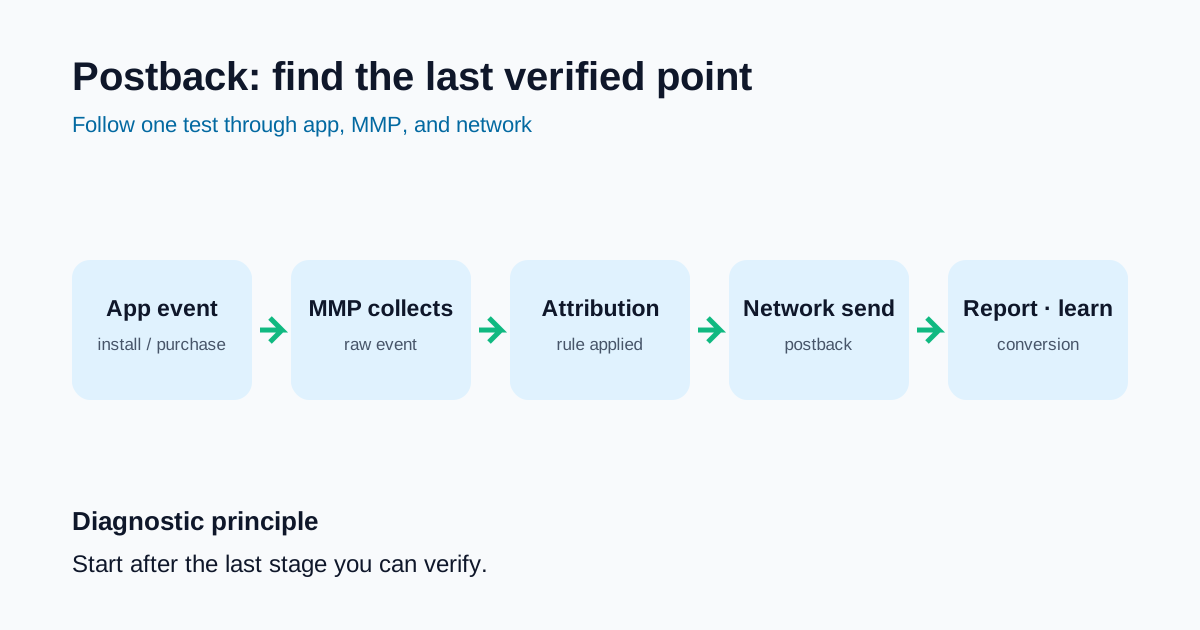
When a network shows zero data
Separate SAN from S2S first
A self-attributing network (SAN) checks its own ad-interaction data with the MMP. S2S integrations exchange signals under agreed server-to-server rules. SAN describes attribution responsibility; S2S describes transport. They are not mutually exclusive, and SAN integrations can use server-to-server communication. The exact setup varies by MMP and network. Do not clone links, partner toggles, or app IDs from another integration; follow the official partner setup for that pair.
iOS privacy measurement is also different from user-level postbacks. Apple AdAttributionKit sends postbacks to an ad network under limited time-window and privacy conditions after an install or re-engagement. A normal reporting delay in a privacy flow is not automatically an implementation failure. Review Apple’s postback flow before testing.
Zero-data diagnostic table
| Symptom | Last working point to verify | Commonly missed cause | Next check |
|---|---|---|---|
| Zero installs | App install and first launch | App ID, partner activation, SAN/S2S setup | Compare MMP raw install log with network test install |
| Zero events | App event collection | Event mapping, postback toggle, filters | Compare MMP event log with network-received event |
| Zero revenue | Purchase event | value, currency, revenue-event setup |
Check transaction ID, amount, currency, duplicates |
| Zero cost | Network API connection | Permission, account connection, time zone, sync delay | Check cost API status and account scope |
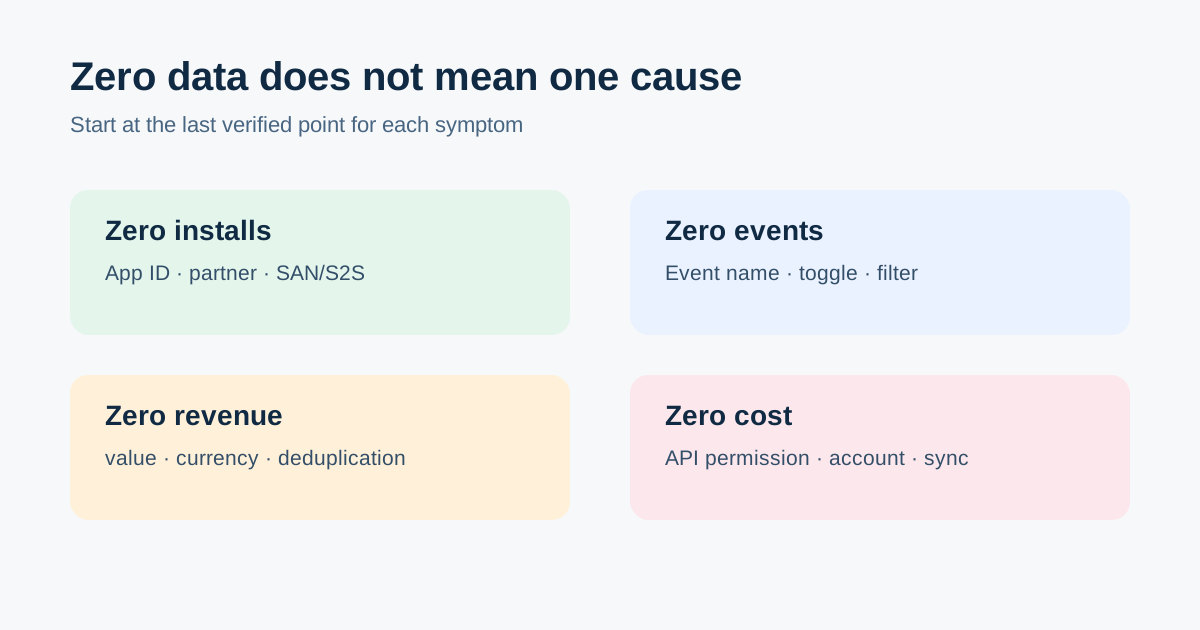
If installs are zero
- Confirm a real install and first launch on the test device.
- Check whether the MMP recorded it as attributed or organic.
- Verify partner connection, app ID, operating system, and campaign account.
- Check attribution responsibility (including SAN) separately from server-to-server delivery and authentication.
- Compare MMP time, network time, and conversion-window rules for the same test.
If events or revenue are zero
An app event is not automatically delivered to a network. Verify that the event reached the MMP, that it is selected for the partner postback, and that it includes fields required by the network.
For purchases, check transaction_id, numeric value, and ISO 4217 currency. Without deduplication, duplicate purchase callbacks can create inflated revenue instead of zero revenue. Fix the event contract first with event taxonomy design.
Treat zero cost as a separate path
Cost depends on network API tokens, ad-account permissions, account connections, and reporting delay. If installs and events are healthy but cost is zero, inspect the cost API and account scope instead of recreating postbacks. For metric mismatches after cost arrives, separate reporting rules with attribution data mismatch causes.
New-campaign QA checklist
- Confirm app ID, operating system, network account, and MMP partner connection
- Confirm a test install appears in the MMP
- Confirm sign-up and purchase events reach the MMP with values
- Confirm each event postback is enabled and received by the network
- Check transaction ID, amount, currency, and deduplication for revenue
- Check cost API permission, account scope, time zone, and sync delay
- Interpret iOS privacy postbacks with their own delay and aggregation rules
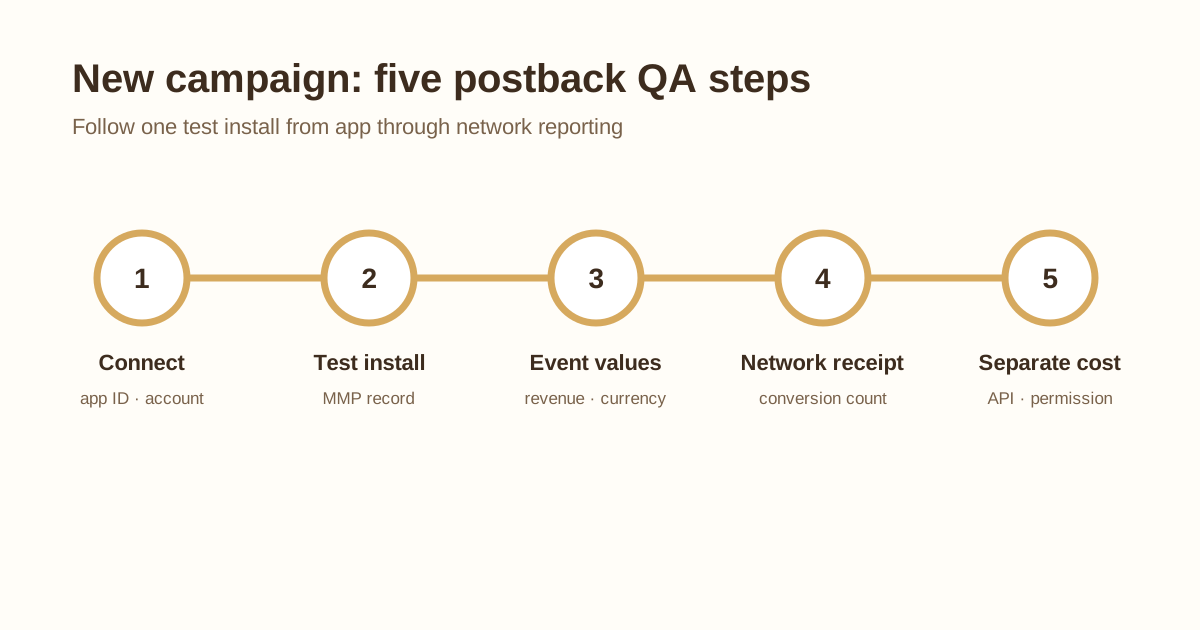
Conclusion
A postback is not a one-time toggle. Re-run one test install end to end whenever a campaign, SDK, event version, or network permission changes. Recording the last working point across app, MMP, and network makes even “zero installs” a bounded problem.